Game Balances
Balances
User balances are on a per-caller basis. Each game/caller has its own isolated user balance tracked at the protocol level. Funds may be lost if the withdrawal flow is not correctly implemented by the caller.
The SKNK protocol manages balances using a three-key mapping for token, caller, and delegate. This allows for greater flexibility at the application level to enable different game mechanics (e.g. multi-stage games). Each caller also has its own isolated set of funds, which means that a single player may have multiple balances across the SKNK protocol.
Balances can be retrieved from the SLPHub contract - where caller is the game contract and delegate is the player.
// Token -> Caller -> Delegate -> Balance
mapping(address => mapping(address => mapping(address => uint256))) public balances;
Deposits
When a user wants to open a ticket against the SKNK protocol, they must hold a sufficient balance on the SLPHub contract to cover their stakes. For user deposits, this operation is streamlined during the ticket creation (createTicket{ETH}) call. This can fall into one of two scenarios:
-
In the case of insufficient balance on the hub to cover the stake, the funds will be transferred from the user wallet as part of ticket creation. For games building on top of SKNK, they must hold an approved balance spendable by the
SLPHubcontract in order to create tickets. -
In the case of sufficient balance on the hub to cover the stake, the in-protocol funds will be used as the stake.
Withdrawals
When a player accrues winnings from opening tickets on the SKNK protocol, these funds will remain in the SLPHub contract until withdrawn.
SKNK Games
When playing games that have integrated the SKNK protocol, the contract is responsible for managing player balances. Typically, single-round games (e.g. Crack the Safe) include a claim control in the game header and in the game panel. Multi-round games (e.g. Planet Miner) have specific release conditions. Please see specific game documentation for how to withdraw for your selected game.
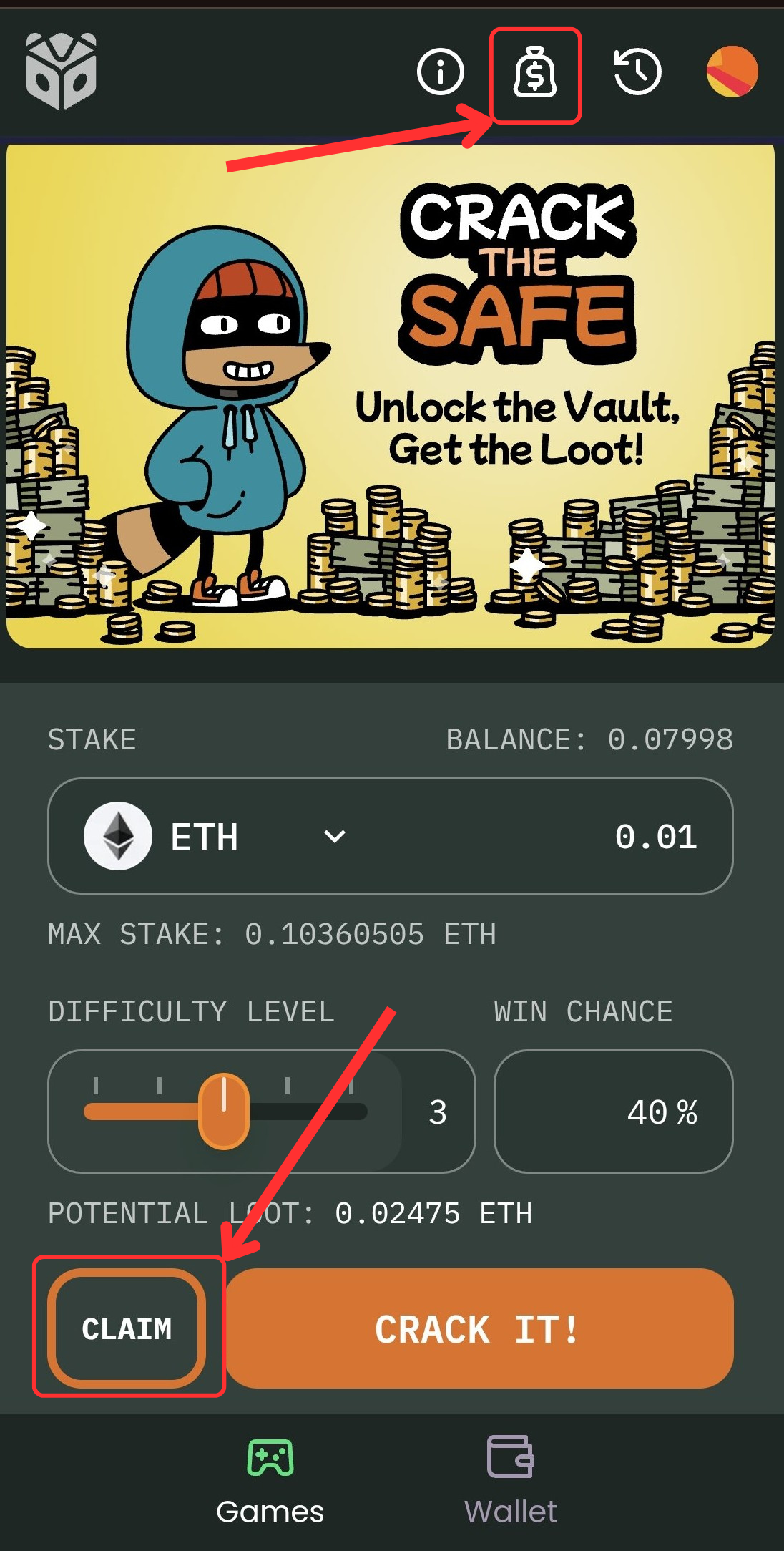
Use the claim icon in the game header or the claim button in the game panel to withdraw available winnings.
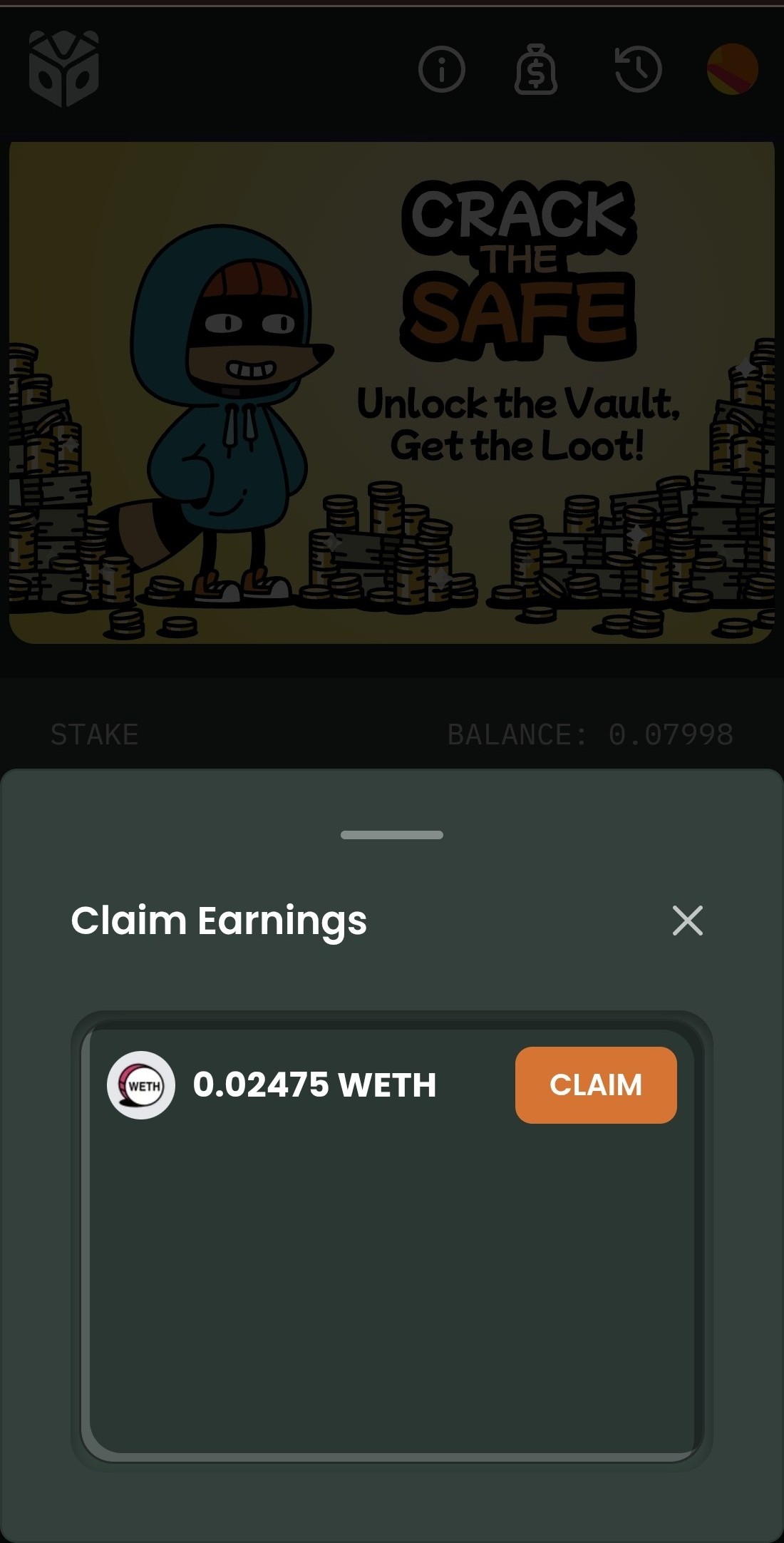
Claiming opens a modal where you confirm the available amount and submit the withdrawal transaction.
Direct Interactions
If a user has been creating tickets directly against the protocol, then the user must withdraw from the SLPHub using the withdrawBalance() function.
When withdrawing directly from the contract, you must pass msg.sender address as _user.
/**
 * @notice Withdraw user balance
 * @param _token The address of the token to withdraw
 * @param _amount The amount to withdraw
 * @param _user The user to withdraw for
 */
function withdrawBalance(address _token, uint256 _amount, address _user) external;