SKNK App
The SKNK App brings together onboarding, wallet flows, gameplay access, and social features in one interface. Instead of moving between separate apps and raw wallet screens, players can manage the full SKNK experience from a single account layer.
Get started quickly
Sign in, create an account, and access SKNK without requiring an existing external wallet.
Manage assets
Handle balances, transfers, swaps, and wallet activity from the same interface.
Play and connect
Access games, track results, and use in-app social features without leaving the SKNK environment.
The Game Library
SKNK features a growing library of provably fair games where outcomes are recorded through the protocol and surfaced in the app in a player-friendly way.
- Instant play: Jump into supported games without moving through separate onboarding flows for each title.
- Consistent account layer: Use the same wallet and identity layer across the SKNK game library.
- Shared game balances: Winnings and balances remain connected to the same on-chain system used elsewhere in the app.
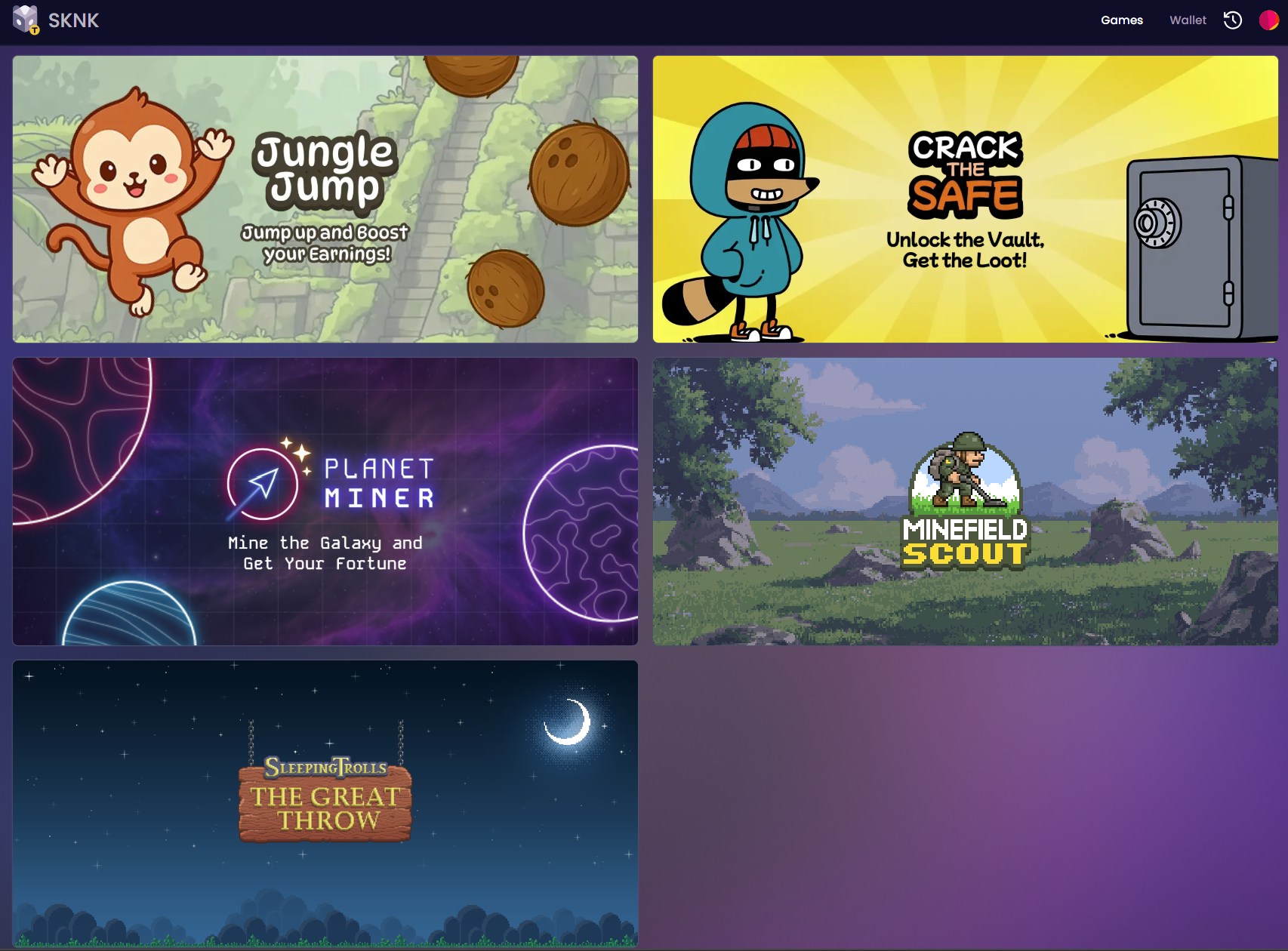
The game library groups supported titles under one account and wallet experience.
Frictionless Onboarding & Identity
You don’t need a separate crypto wallet to get started. SKNK uses social logins to create your account instantly.
- Social Sign-In: Log in with Google, Apple, X (Twitter), or Discord.
- Free Web3 Identity (.sknk): Claim a human-readable username (e.g.,
yourname.sknk) for free. This makes it easier for friends to find you and send funds within the SKNK ecosystem, but it is not intended as a universal wallet name for external apps such as MetaMask.
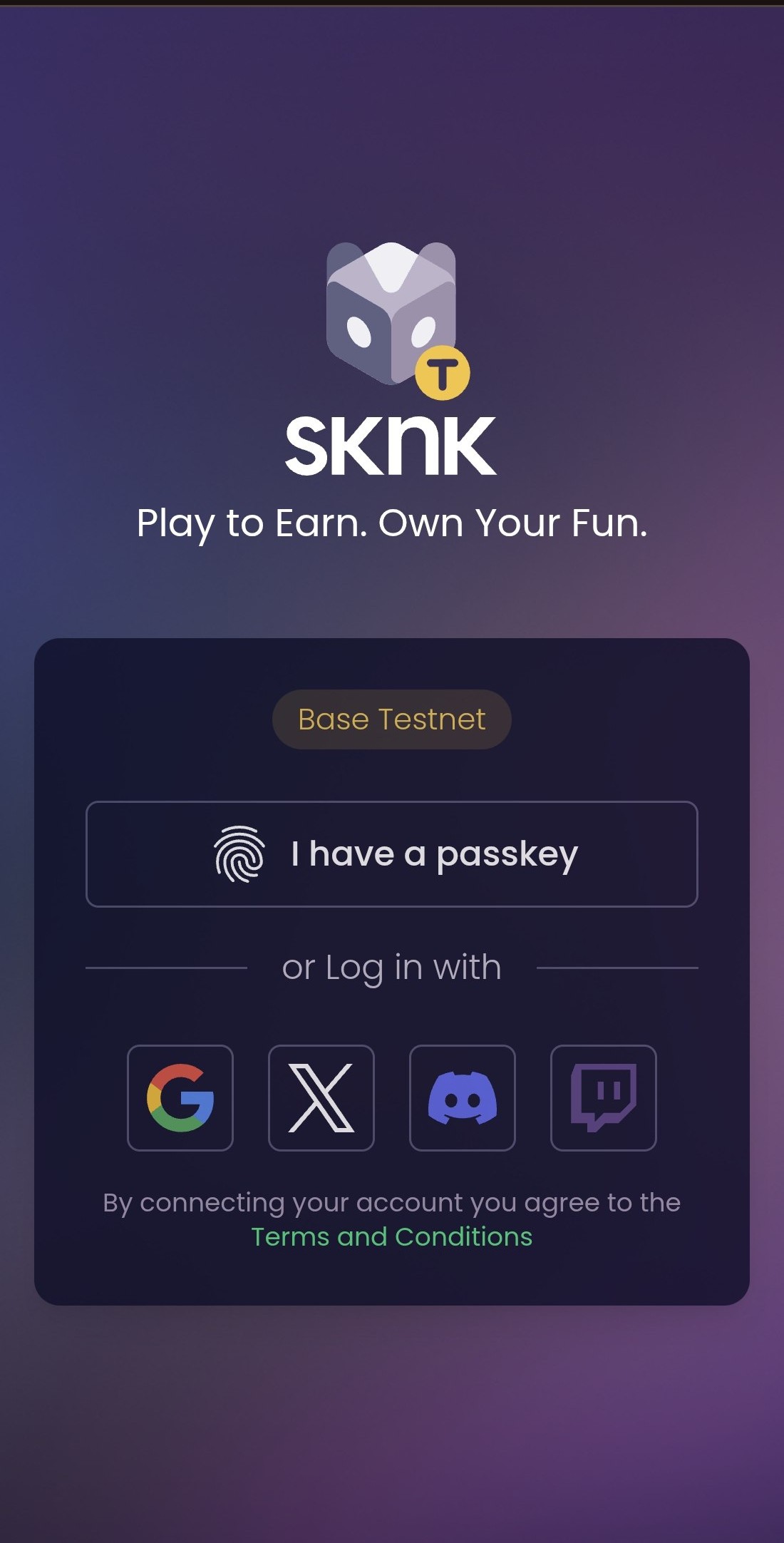
Social sign-in provides a simpler onboarding path for players who do not want to begin with a separate wallet.
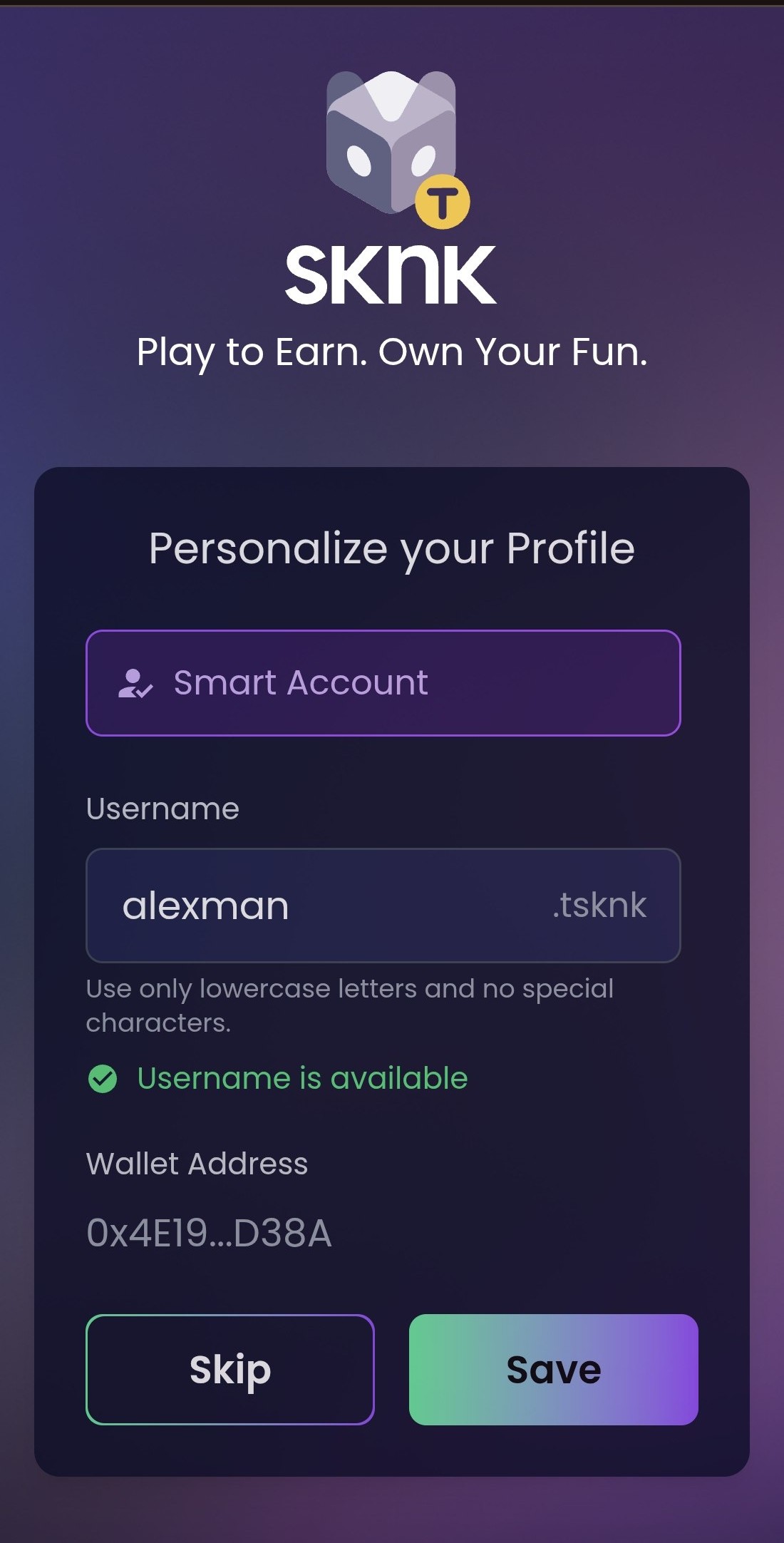
.sknk names make accounts easier to recognise inside SKNK, but they are not a general-purpose wallet resolution standard.
Account History
The account history view gives you a readable record of what you have done in the app without forcing you to inspect raw contract interactions every time.
Because all interactions happen on-chain, this history view provides a user-friendly window into verifiable blockchain activity.
- Activity tracking: Tickets, wins, transfers, and swaps are recorded in one history view.
- Status visibility: You can quickly see whether recent actions have completed, are pending, or still require attention.
- Reviewability: Account history makes it easier to connect app-level actions to the protocol behaviour behind them.

The activity drawer presents recent actions in a readable format, including status and action type.
Wallet and Transfers
The built-in wallet layer gives you access to the main account actions you need without leaving the app.
| Feature | Description |
|---|---|
| Holdings | View your total net worth and individual token balances. |
| Swap | Exchange tokens instantly. |
| Send | Transfer assets to external addresses or via social handles. |
| Hub | Access SKNK liquidity and direct protocol flows. |
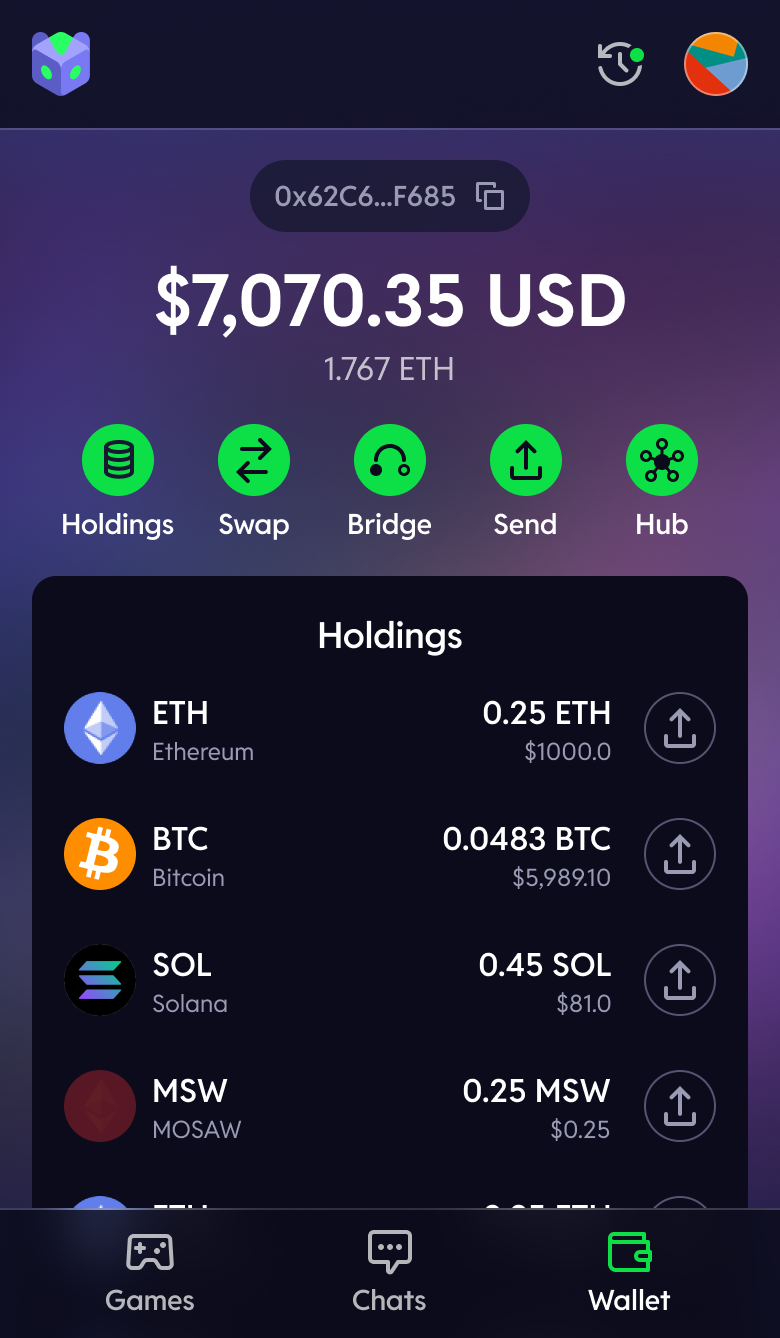
The wallet view centralises balances, transfers, swaps, and network movement.
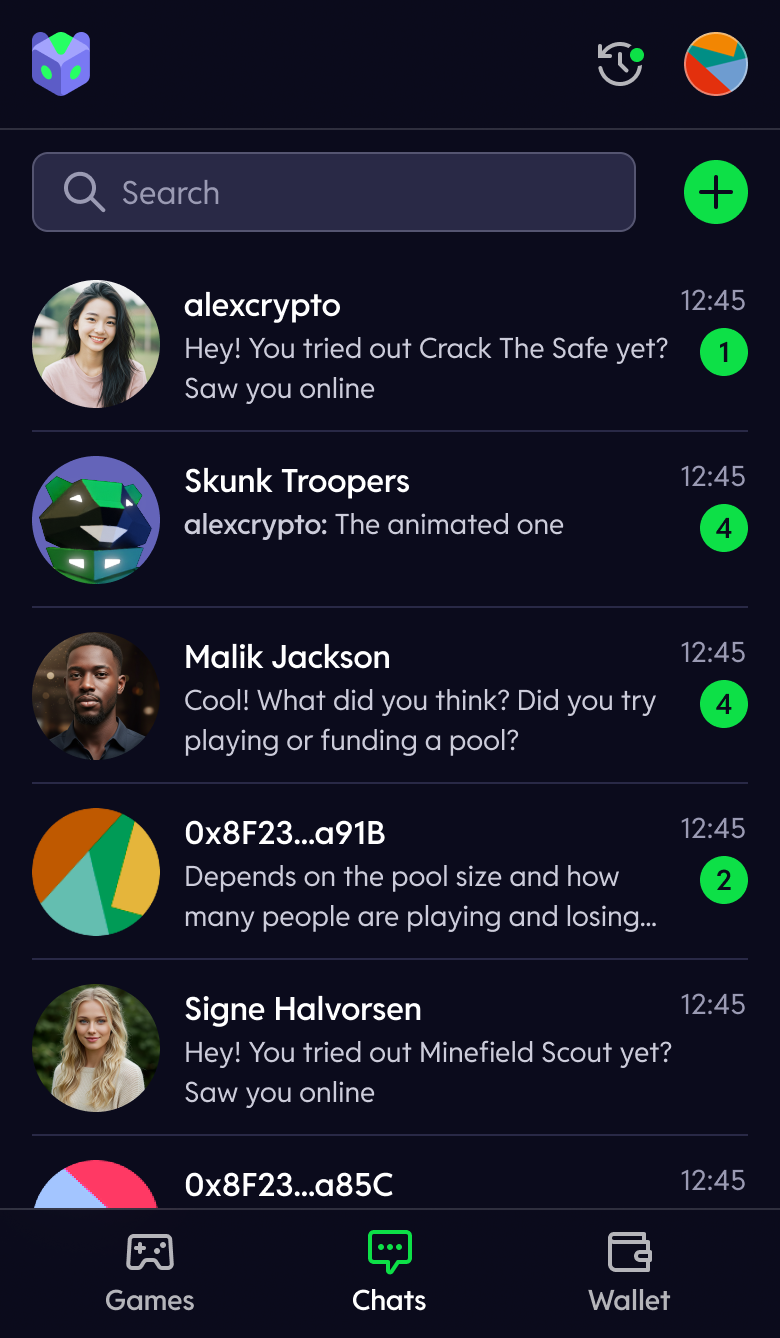
Social flows and in-chat transfers reduce the need to copy addresses between separate tools.
Social Layer
The social layer of the SKNK App combines identity, communication, and account-level sharing features so they remain close to gameplay and wallet activity instead of being split across separate tools.
Social ID
Your account can be tied to a simple .sknk username, making it easier to track wins and share your identity within the SKNK ecosystem without relying on long hexadecimal addresses.
Chat and Discovery
Talk strategy in multiplayer games, share your wins, discover other users, and interact through SKNK-native social flows inside the app.
Quick Settings
Quick settings let you control convenience features and profile-level preferences without leaving the main app experience.
-
Auto-confirm transactions: Reduce repeated confirmation steps for supported in-app actions when you want a faster play flow. Supported only with social wallet logins.
-
Push notifications: Decide how the app alerts you about account activity, game outcomes, and other important updates.
-
Profile editing: Update visible account details and personal settings that shape how your identity appears inside the SKNK ecosystem.
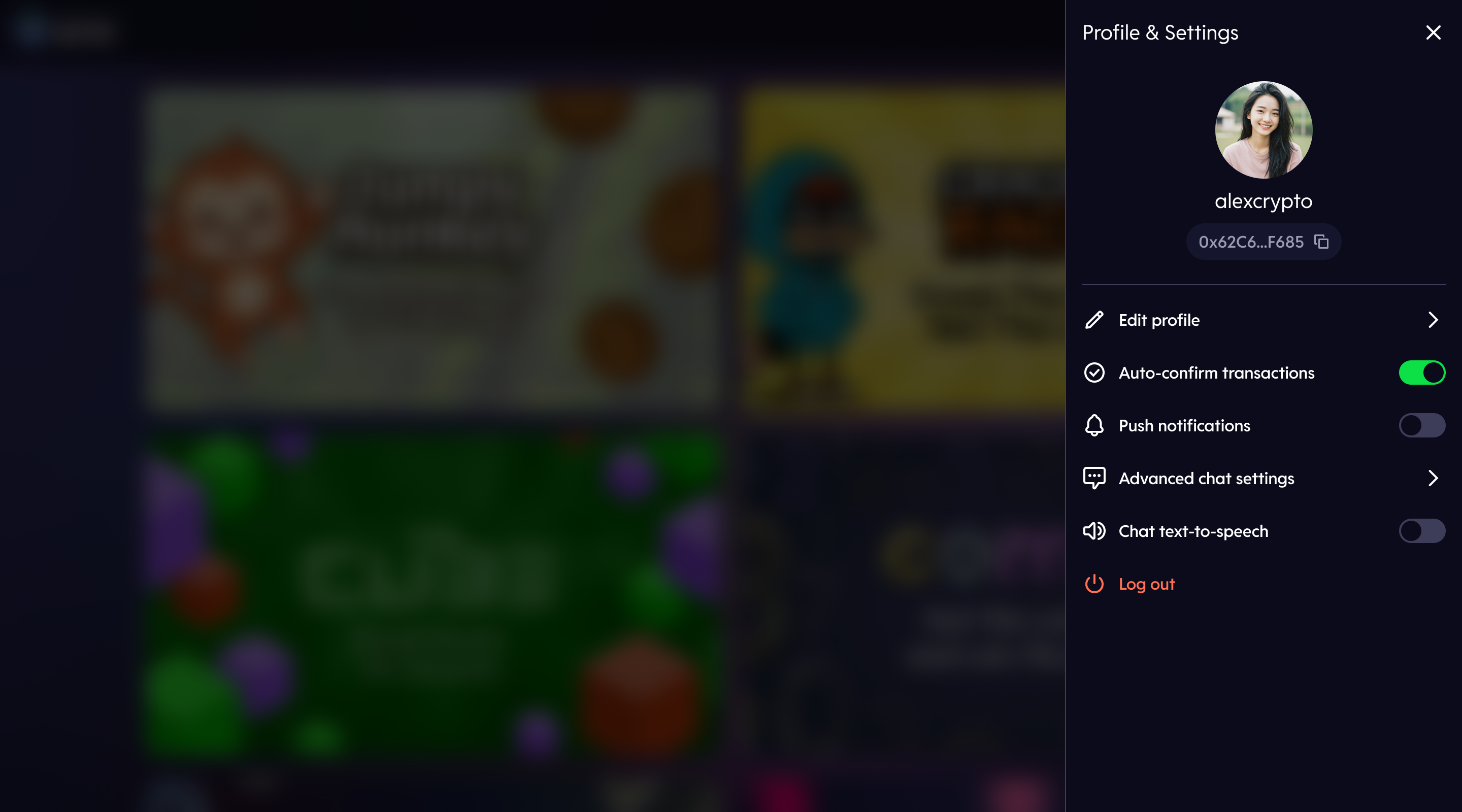
Profile settings combine identity, convenience preferences, and account customisation in one place.